 Pinggg
Meet by proximity.
Connect by consent.
Pinggg finds the people physically near you over Bluetooth — or confirms the right person with an in-person QR when a room is crowded. A chat opens only when both of you accept. After that first real-world unlock, the conversation continues anywhere. No phone number, no username, no searchable ID.
Three steps to a real connection.
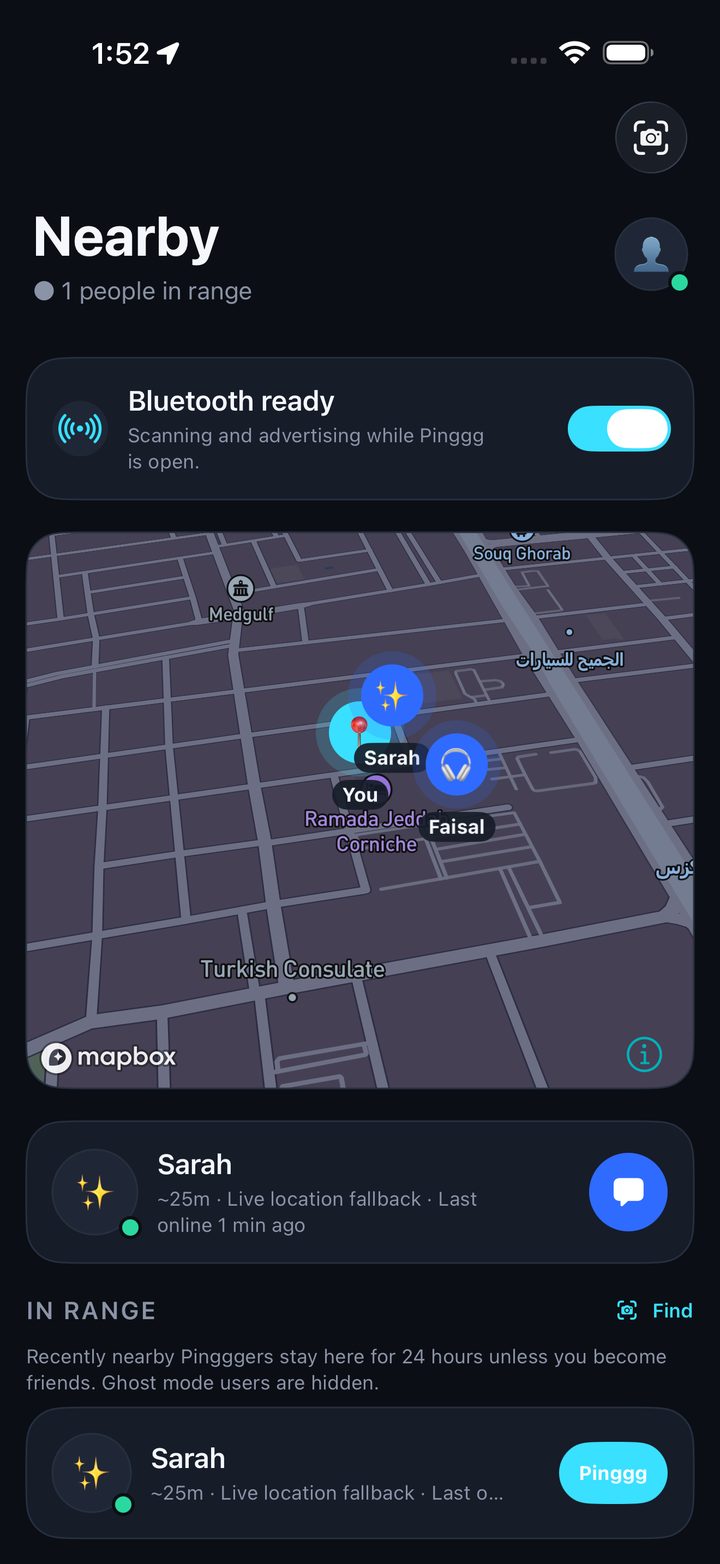
Discover nearby
Open Pinggg and see who's physically around you on the Bluetooth radar — ranked by distance.
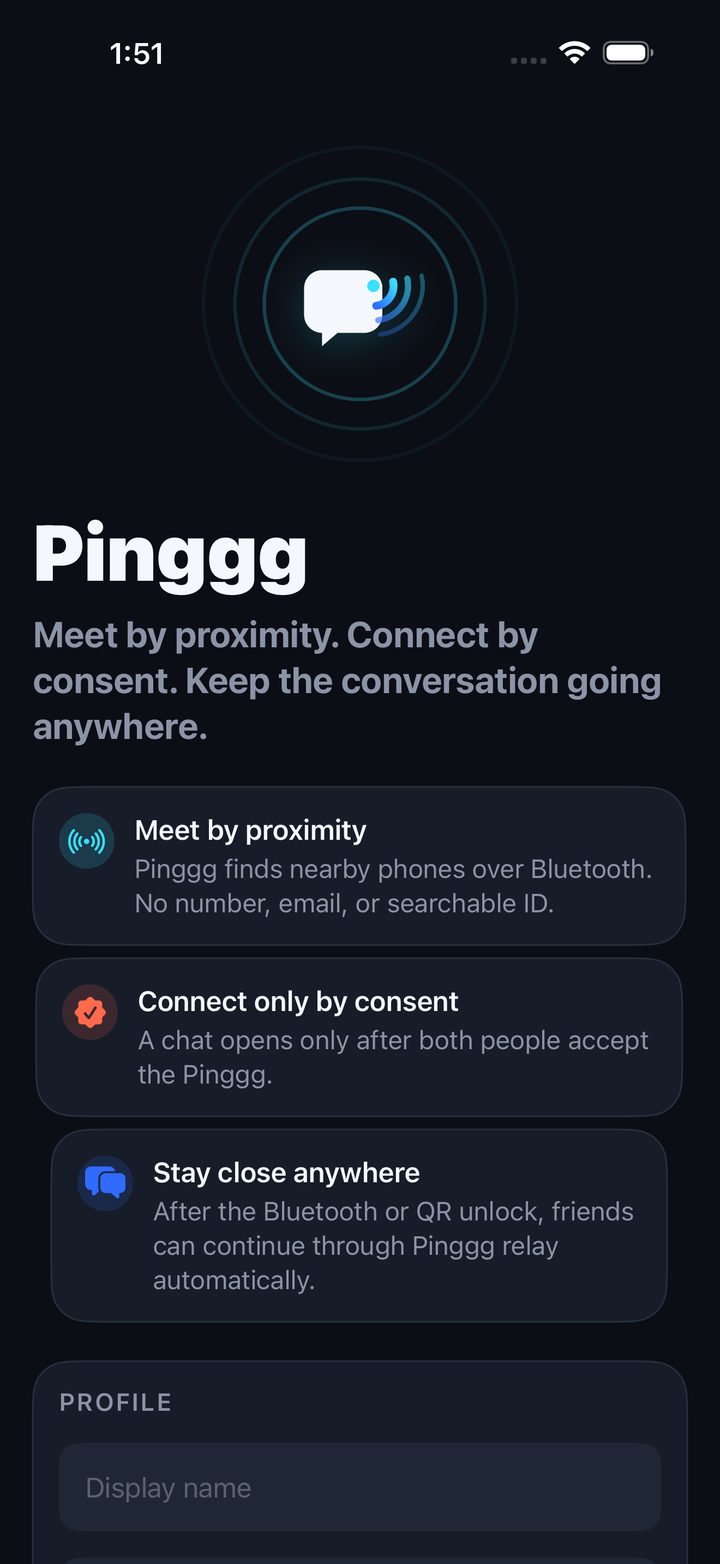
Connect by consent
Send a Pinggg and both accept — or confirm the exact person with an in-person QR in a crowded room.
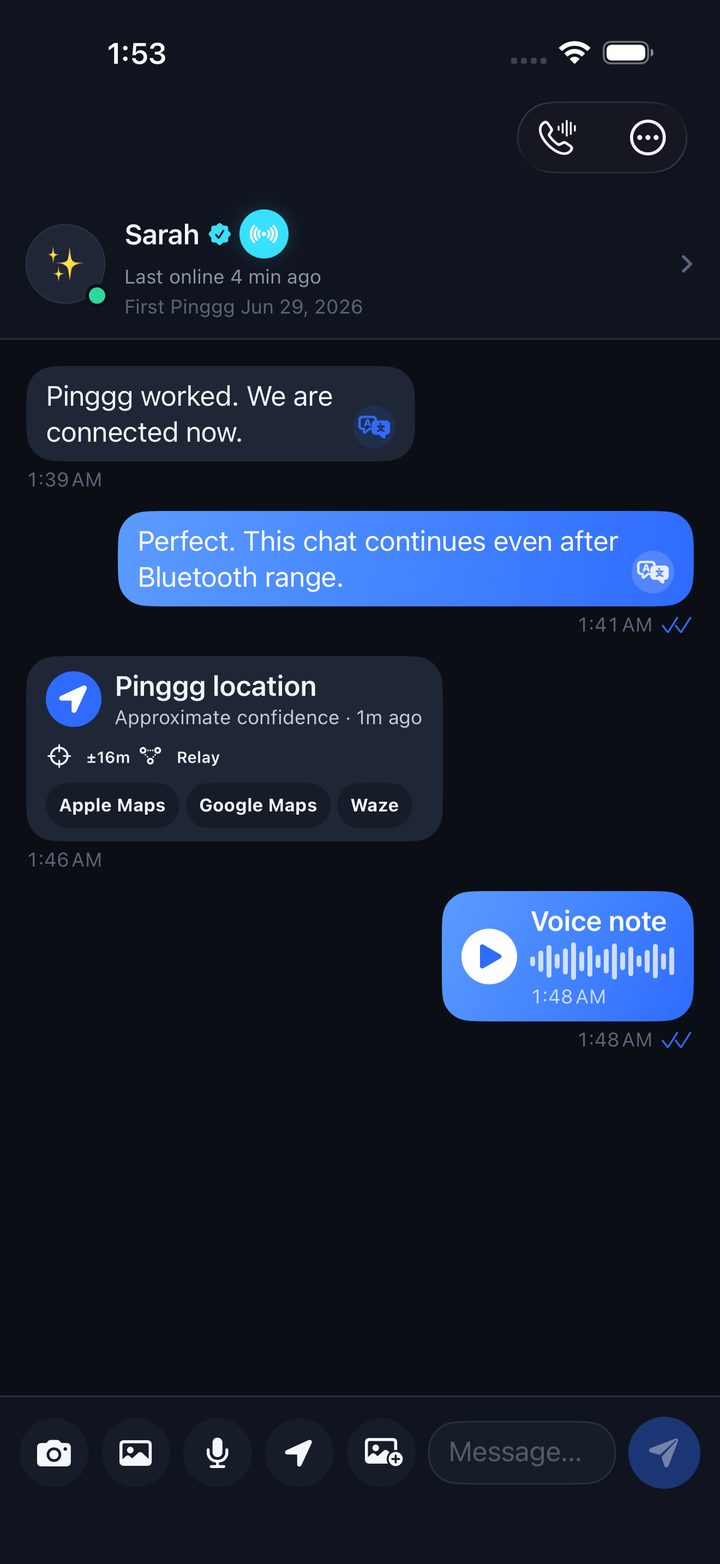
Stay close anywhere
After that first in-person unlock the chat continues online — text, photos, voice notes, and live location.
Walk the customer journey.
Real screens from the current build. Swipe through all 22 current v1.2 screens.
Meet by proximity
From a Bluetooth hello to “let's meet here.”
Share a place, honestly.
Drop a location pin in any chat and it carries a real confidence label — then exports straight to Apple Maps, Google Maps, or Waze so friends can navigate to the meeting point.
Precision Graph & AI Rendezvous.
Pinggg's location layer is built on one principle: show confidence, never fake precision.
Precision Graph
It fuses GPS, Bluetooth proximity, and relay presence into one model that exposes source, freshness, and a confidence radius — instead of pretending every pin is perfect. It already powers chat pins and event confidence, and it's the base for future venue maps, BLE beacons, and indoor routing.
Sub-meter event accuracy is an ambition that will require venue maps, anchors, BLE beacons, calibration, and live testing — not a current claim.
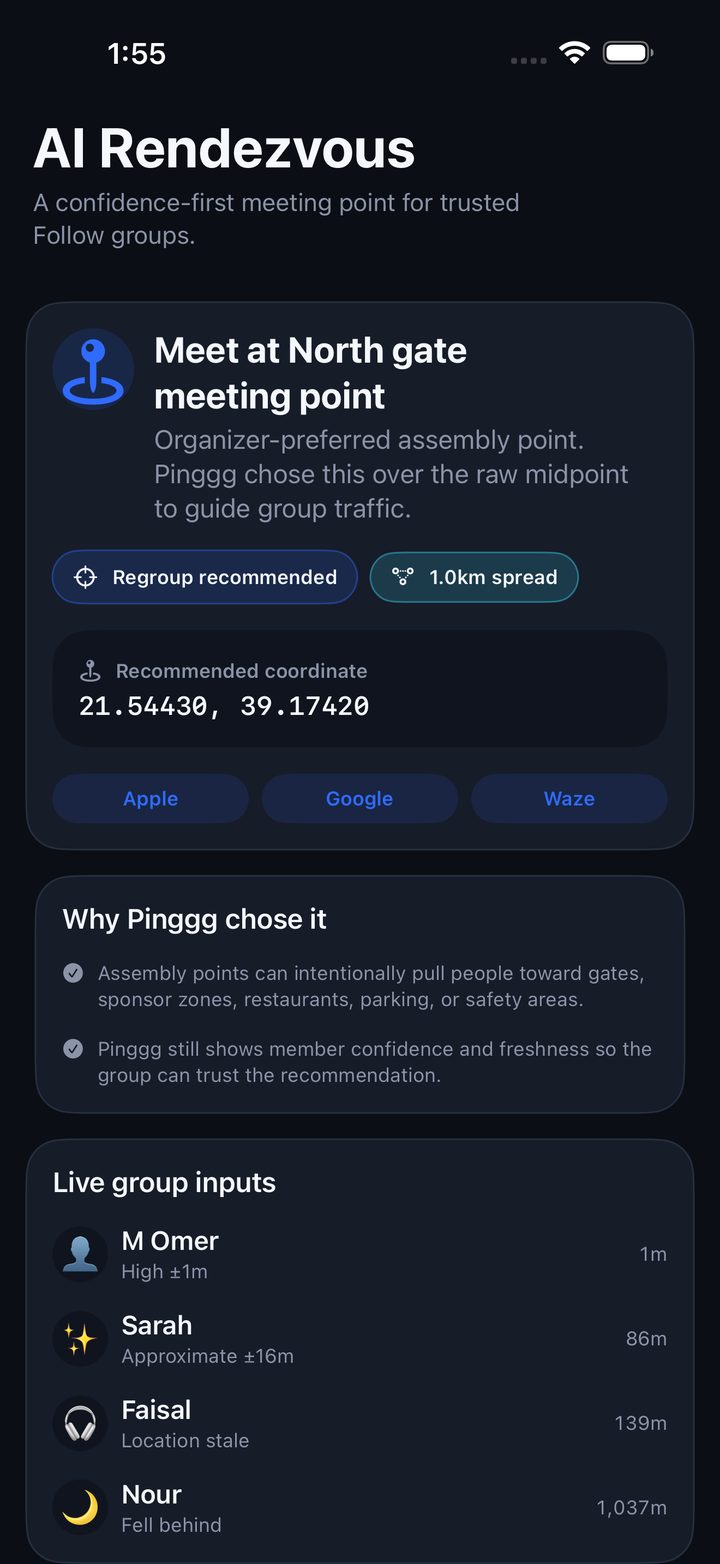
AI Rendezvous
For a group, Pinggg recommends a confidence-weighted meeting point — or an organizer's assembly point — and explains why it chose it, then exports it to maps. Groups get a clear place to meet without the app hiding uncertainty.
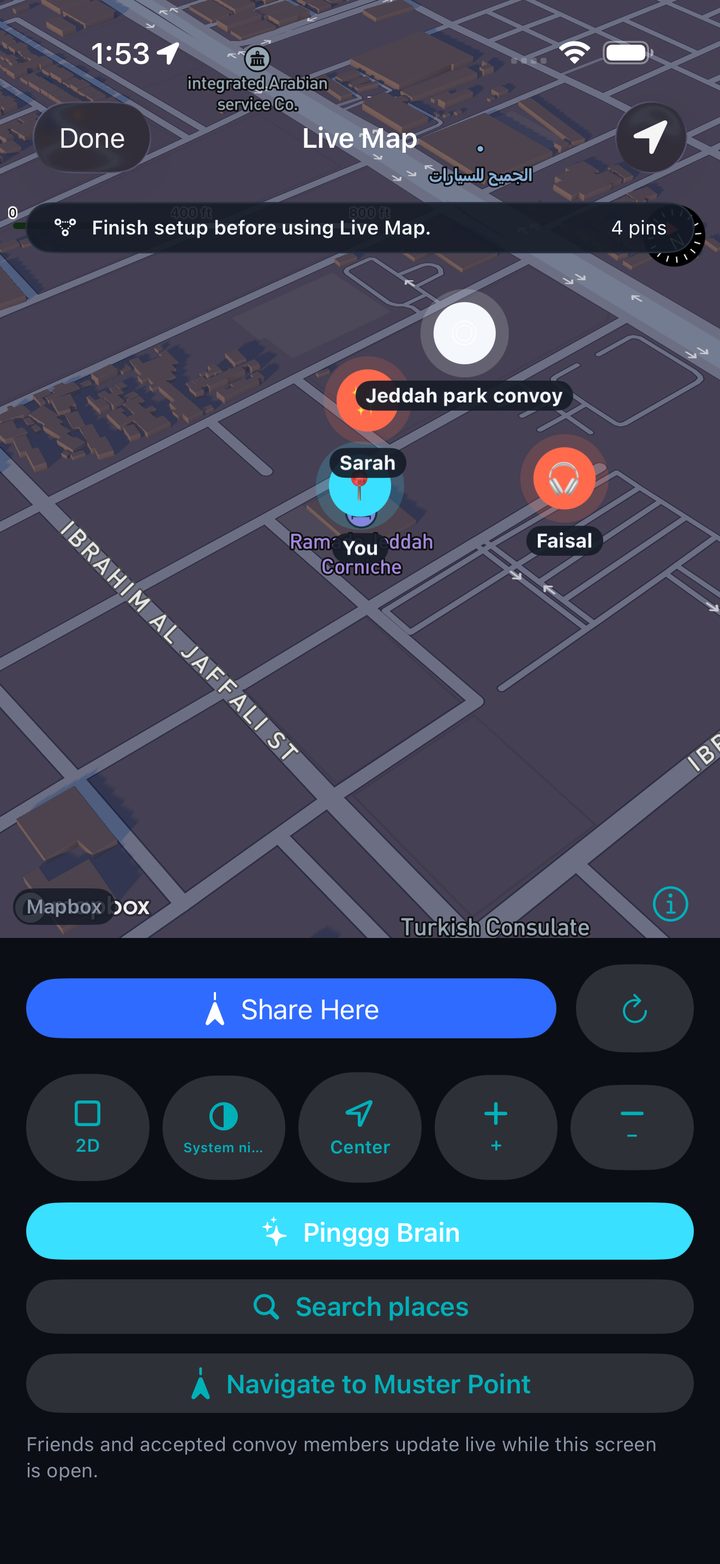
Trusted groups that move together.
Create a Follow group only from people you've already Pinggg'd by Bluetooth or QR. See who's live, who's stale, and get warned when someone falls behind — for families, crews, convoys, and event teams.
Live group and convoy maps are available in v1.2. Organizer dashboards, paid event tooling, and expanded operations remain future roadmap work.
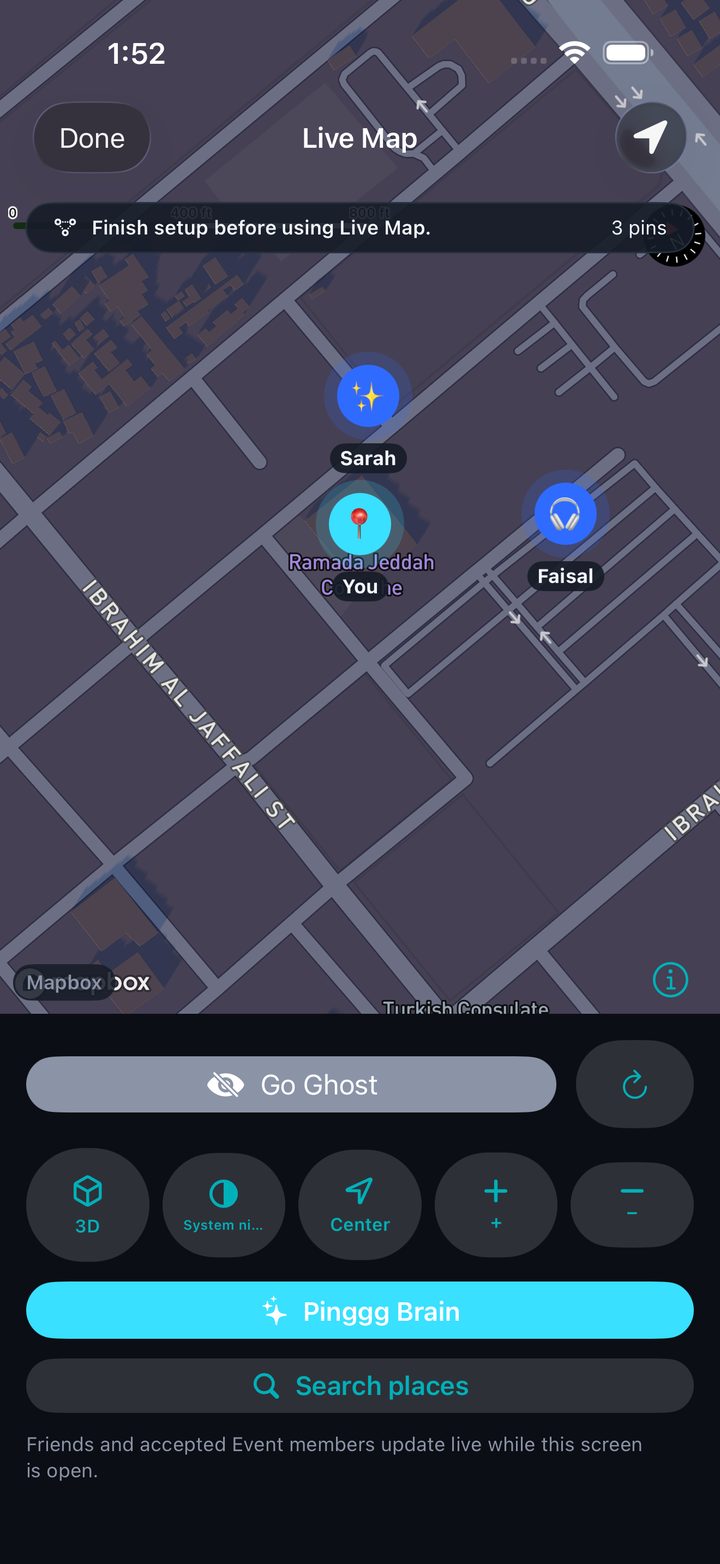
See your people move, in real time.
Pinggg's new Live Map shows your trusted groups and convoys moving together as it happens — tap any group to go fullscreen.
Road trip, family day out, or meeting friends across a crowded venue? Open your group and watch everyone's live position on one map. Built for moving together — so you regroup faster and nobody gets left behind.
Free. Location sharing is always your choice: off by default, per-group, and only with people you've connected with in person.
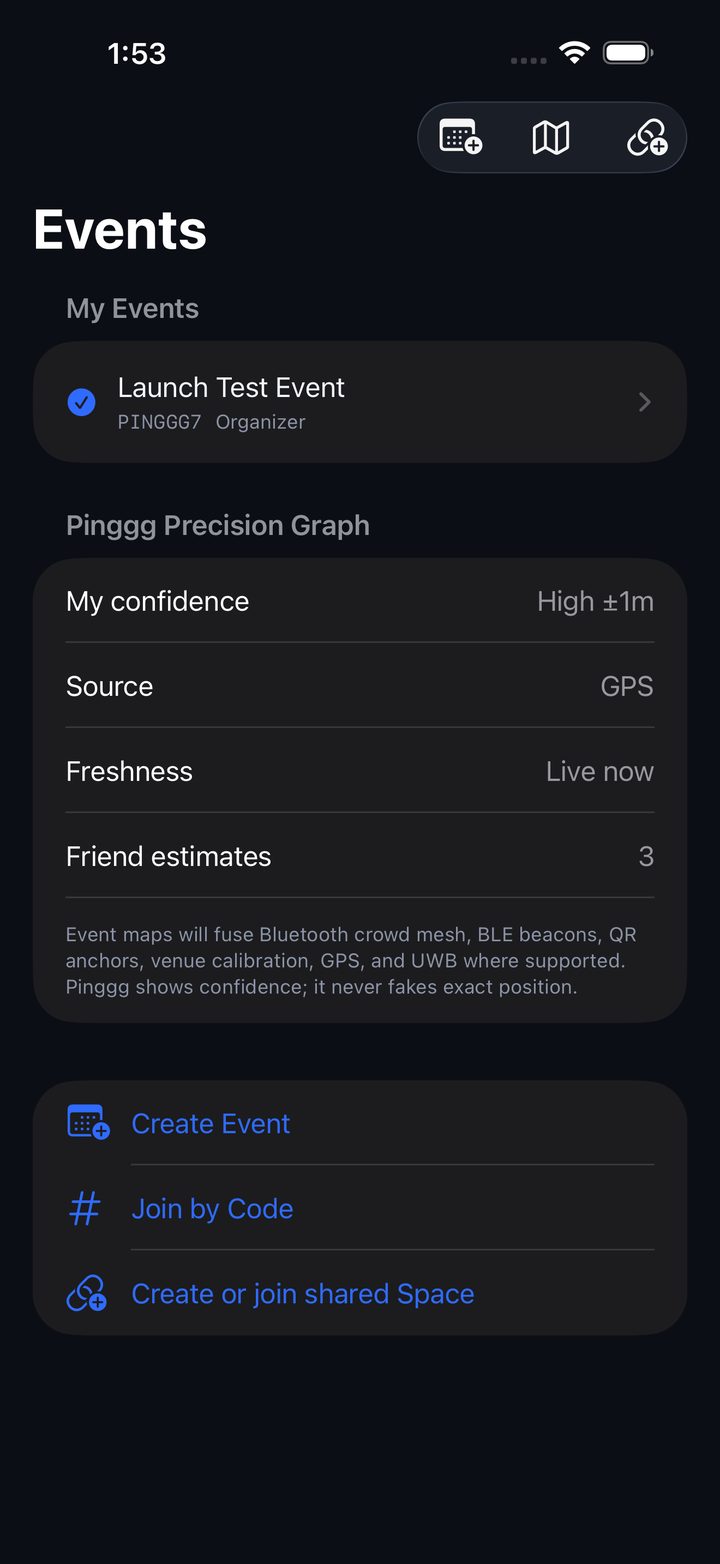
The room, unlocked.
Create or join an event with organizer, staff, and participant roles, scoped to the people actually there — backed by Precision Graph confidence. Find your friends and the team running the event by proximity.
Exactly what's real today.
Labelled truthfully — for testers, App Review, and investors.
- Bluetooth Nearby radar
- In-person QR connect
- Mutual-consent Pinggg
- One distinct Pinggg nudge
- Saved contacts & chats
- Photo & short-video messages
- Voice notes
- Location pins + map export
- Read ticks & last-online
- Chat contact profile & trust
- Profile hub, themes, privacy controls
- Private, non-searchable Pinggg ID
- Event Mode + roles
- Precision Graph (foundation)
- Find direction surface
- Follow Mode (on-device)
- Group/convoy Live Map (v1.2)
- AI Rendezvous (on-device)
- Safety, block/report, account deletion
- Free on the App Store
- Pinggg Plus purchases (StoreKit)
- End-to-end encryption
- Voice & video calling
- Cloud AI place recommendations
- Organizer event dashboard
- Indoor venue routing and venue beacons
- Multi-device linking
- Expanded moderation operations
- UWB precision where supported
- Owner-controlled public profiles
- Hardware beacon leasing & analytics
- Advanced organizer monetization tools
Truth first: Pinggg does not currently offer end-to-end encryption, paid Pinggg Plus purchases, or voice/video calling. Live Map, Follow groups/convoys, events, Nearby discovery, chats, profile/settings, and privacy controls are live in v1.2.
Private by design. Safe by default.
Your Pinggg ID is private and not searchable — the only way to connect is real-world Bluetooth or an in-person QR. Every sensitive permission is explained and opt-in (location is off by default), block & report are built in with zero-tolerance rules, and you can delete your account and data from inside the app. Read our safety approach →
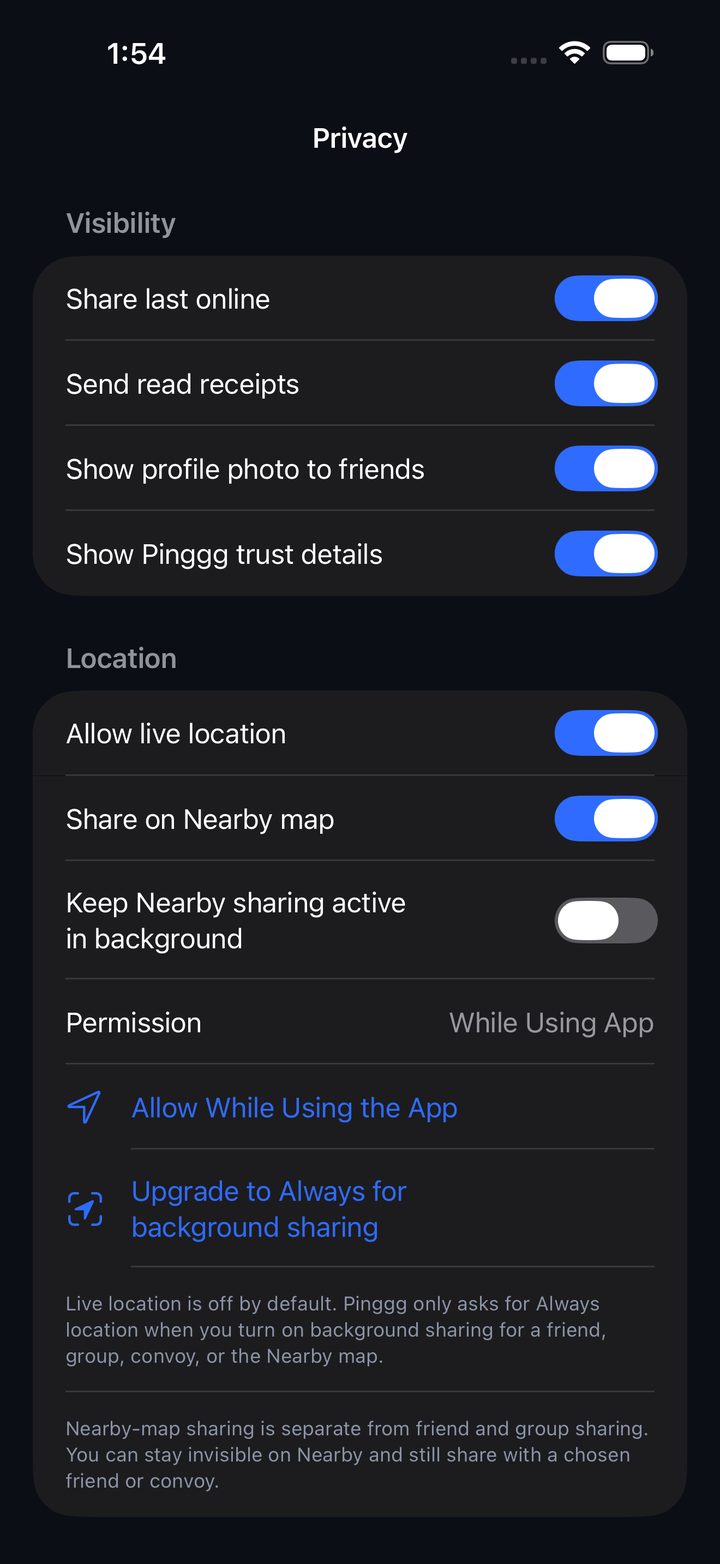
Not another username messenger.
Proximity-gated identity
The social graph starts in person — Bluetooth or QR — not by harvesting numbers or usernames. The phone is the account anchor.
Confidence as the product
Precision Graph and AI Rendezvous expose accuracy honestly, building toward venue maps, beacons, and indoor routing.
Trust you can see
Profile Trust shows first-Pinggg date and connection method — the base for a verified “who met whom” graph.
Good questions, honest answers.
How do people connect on Pinggg?
Be physically near someone and send a Pinggg from the radar — or scan their in-person QR in a crowded room. A contact is created only when you both accept. There is no way to add someone by phone number, email, username, or a searchable ID.
Is Pinggg on Android?
Not yet — Pinggg is currently an iPhone app (iOS 16+).
Are messages end-to-end encrypted?
Not in the current build. End-to-end encryption is on our roadmap; please avoid sharing sensitive information for now.
What is Precision Graph?
Pinggg's location layer that fuses GPS, Bluetooth, and relay presence into one model and shows the source, freshness, and a confidence radius. It powers chat location pins and event confidence today — and never fakes sub-meter precision.
Do Follow Mode and AI Rendezvous work live across phones?
Follow groups and convoys can show live map locations when members choose to share. AI Rendezvous provides an in-app recommendation layer; organizer dashboards and paid event operations remain future roadmap work.
What is Pinggg Plus?
A membership tier shown in the app. Paid Pinggg Plus purchases are pending production setup (StoreKit) and are not live yet.
How do I delete my account?
Open the app → Profile → Safety → Delete Account. Delete account
Who makes Pinggg?
Pinggg is built and owned by SunXperience, established 2026.
Pinggg is live on the App Store.
Download Pinggg now from the App Store, or join the list for product updates and what comes next.
Get updates
Pinggg is now live on the App Store. Subscribe for product updates, new feature drops, and news about what comes next for Event Mode and Follow Mode.
Prefer email? Write to [email protected].